
소개
About
아케이드 녹화 영상 하나에는 곡이 여러 개 들어 있습니다. 곡마다 시작과 끝을 찾아 직접 자르려면 시간이 오래 걸리고, 파일 이름도 하나씩 붙여야 합니다.
One arcade recording holds several songs. Cutting each one by hand takes a long time, and every file still needs a name.
ArcadeClip은 영상 속 자켓으로 곡을 인식하고, 이름과 달성률을 읽어 파일 이름을 만듭니다. 결과를 확인한 뒤 저장할 클립만 고르면 됩니다.
ArcadeClip finds the songs by the jacket shown in the video, and reads the name and achievement to build the file names. You check the result and pick the clips to save.
주요 기능
Features
-
곡 찾기
Find songs
화면의 자켓을 공식 자켓과 비교해 곡이 바뀌는 지점을 찾습니다.
Compares the jacket on screen with the official song art to find where each song starts and ends.
-
이름과 달성률 읽기
Read names and achievements
화면의 글자를 읽어 곡명/이름/달성률로 파일 이름을 만듭니다.
Reads the text on screen and builds file names from the song title, player name, and achievement.
-
YouTube 구간 가져오기
Download a YouTube range
링크를 붙여넣고 미리보기를 보며 슬라이더로 받을 구간을 정합니다. 진행 중인 라이브는 몇 분 전인지 표시합니다.
Paste a link, preview a frame, and choose a range with the slider. Live streams show how far back each point is.
-
저장 방식 선택
Choose how to save
원본 빠른 복사로 빠르게 저장하거나, 정확한 구간 자르기로 시작 및 끝을 맞춥니다.
Pick Fast source copy for speed, or Frame-accurate trim to match the start and end you set.
-
프로필
Profiles
인식 영역을 프로필로 저장해 두면 같은 촬영 구도의 다음 영상에서 그대로 씁니다. 오락실별로 프로필을 만들어 관리해 보세요.
Save the regions as a profile and use it again on the next video shot the same way. Keep one profile per game center.
-
긴 영상에 챕터 넣기
Add chapters to a recording
고른 클립으로 YouTube 설명란에 붙일 시간을 만들거나, 전체 영상에 챕터를 넣어 새 파일로 저장합니다.
Turn selected clips into timestamps for a YouTube description, or save the whole recording with chapter marks.
한계
Limits
곡 인식은 화면의 자켓을 공식 자켓과 비교하는 방식입니다. 인식 영역 안에 자켓이 정사각형 그대로, 잘리지 않고 들어와야 인식됩니다.
Songs are recognized by comparing the jacket on screen with the official art, so the jacket has to sit inside the region square and uncropped.
-
정사각형Square 인식 가능Recognized -
비뚤어짐Tilted 인식 불가Not recognized -
눌림Squeezed 인식 불가Not recognized -
잘림Cut off 인식 불가Not recognized
화면
Screens
앱과 설명서는 한국어·English를 지원합니다.
The app and guide are available in Korean and English.
-
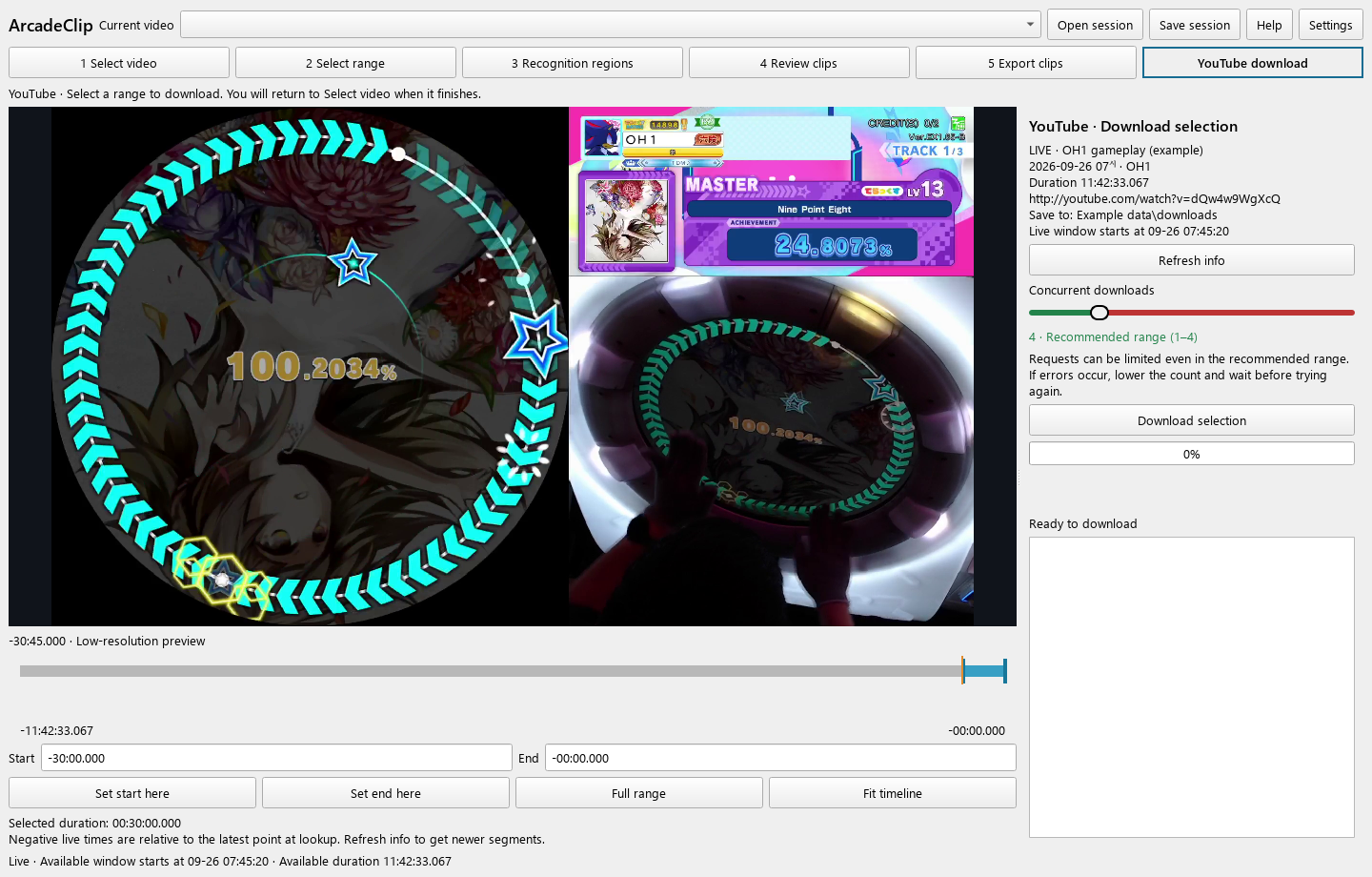
미리보기를 보며 YouTube 구간을 정합니다. Preview and select a YouTube range. -
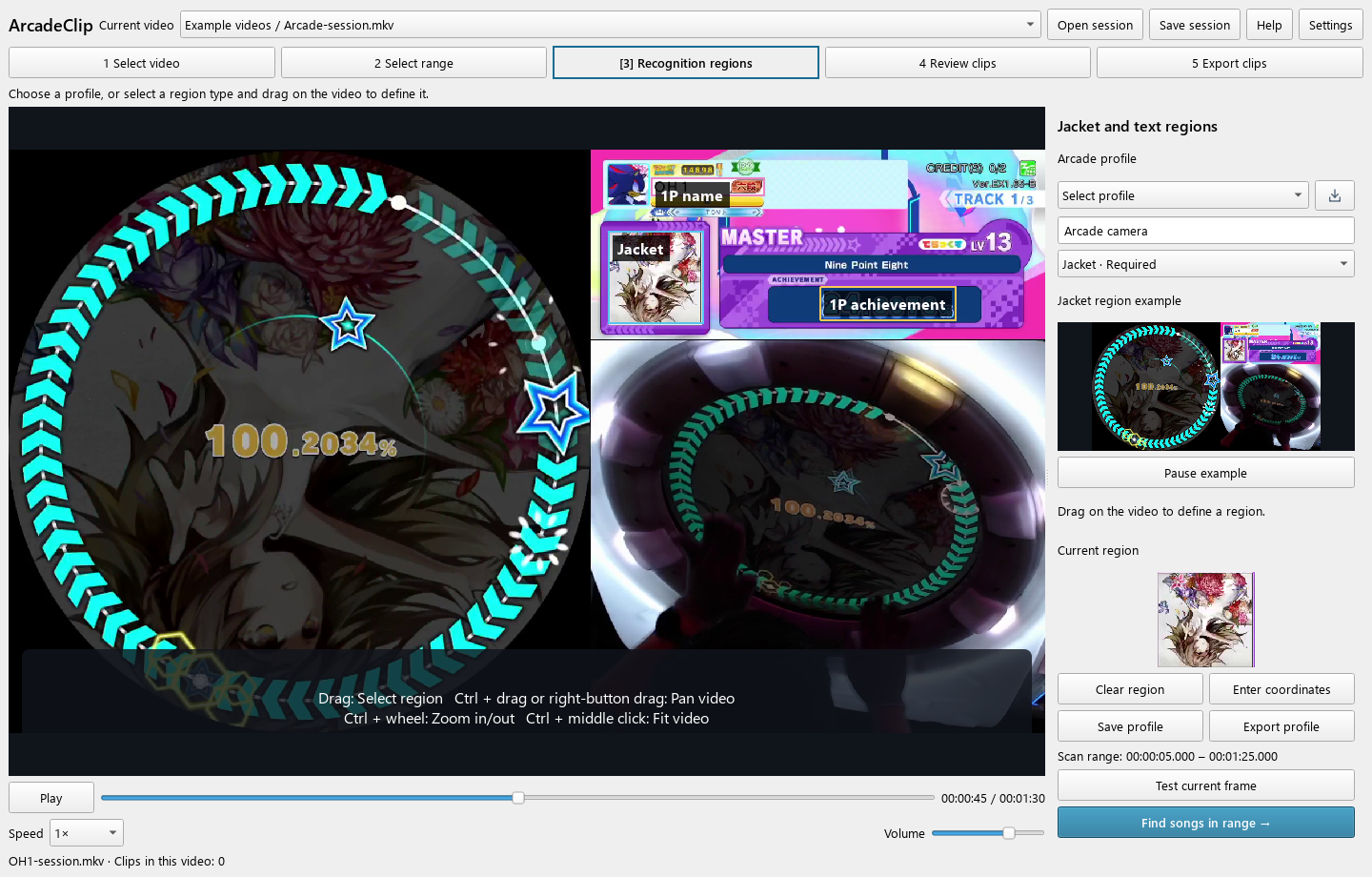
자켓과 글자를 읽을 인식 영역을 영상 위에 지정합니다. Mark the regions where the jacket and the text appear. -
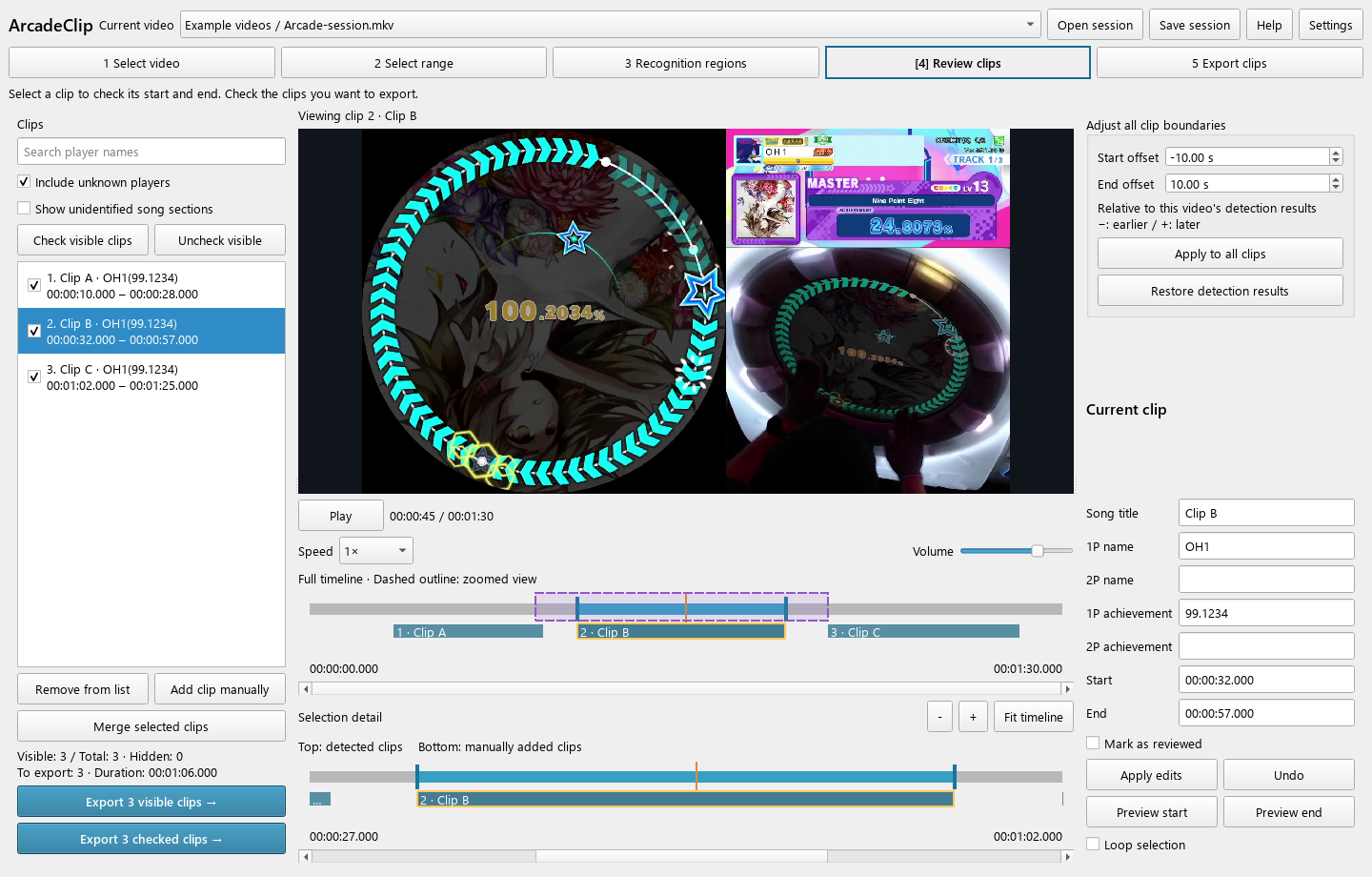
클립을 확인하고 저장할 클립에 체크합니다. Review clips and check the ones to save. -
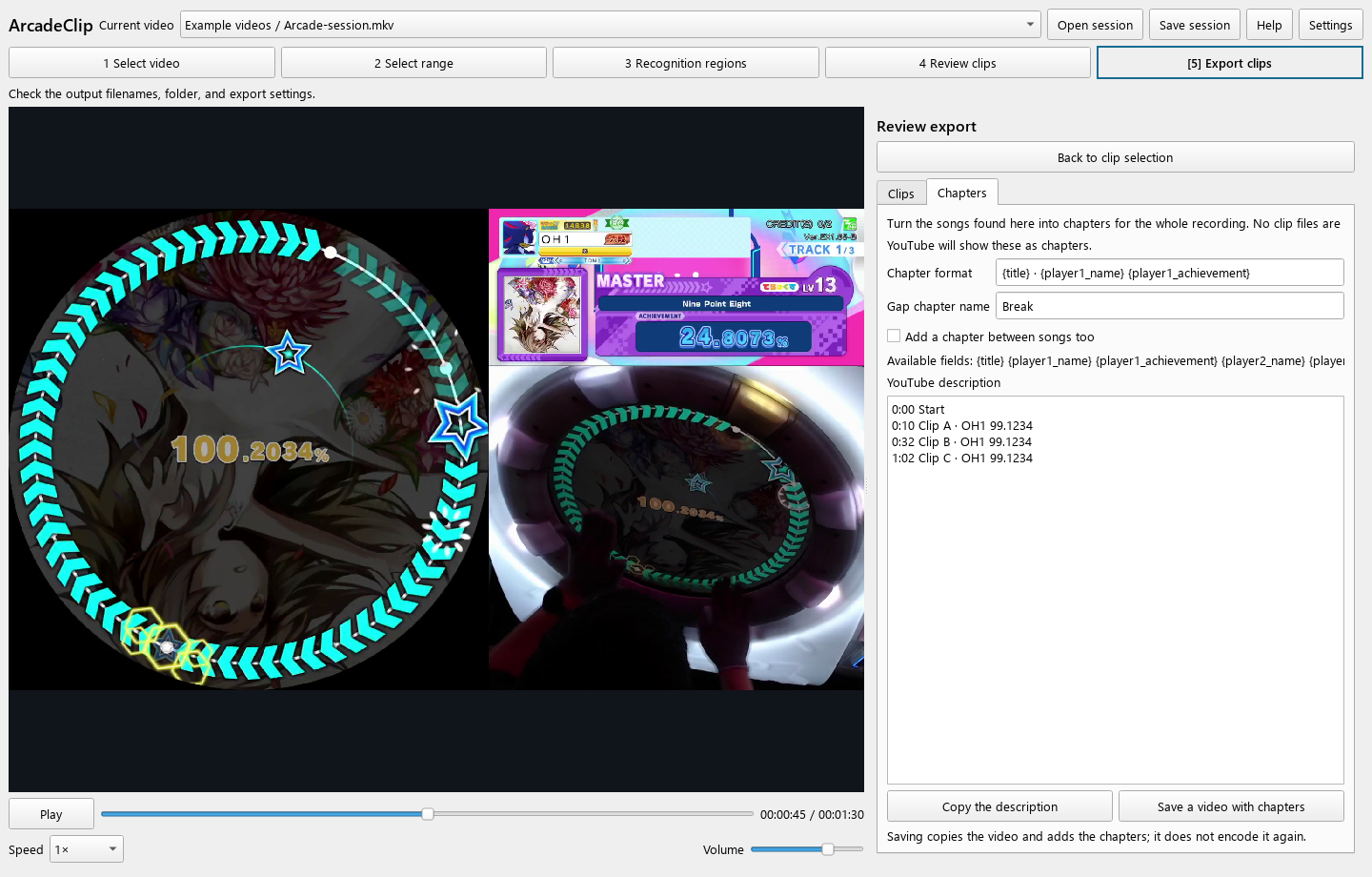
설명란에 쓸 시간을 복사하거나 챕터가 있는 영상을 저장합니다. Copy description timestamps or save a video with chapters.
설치
Install
| 운영체제 | Operating system | Windows 10 또는 11 x64 | Windows 10 or 11, x64 |
|---|---|---|---|
| 실행 | Run | ZIP을 풀고 ArcadeClip.exe를 실행하세요. | Unpack the ZIP and run ArcadeClip.exe. |
| 라이선스 | License | 자체 소스코드: MIT · Windows 결합 배포물: GNU GPL v3.0 | Original source: MIT · Combined Windows distribution: GNU GPL v3.0 |
Windows N·KN 에디션에서는 Media Feature Pack이 필요합니다.
Windows N and KN editions need the Media Feature Pack.
도움말과 문의
Help and contact
사용 방법은 사용 설명서에 있습니다. 앱에서 도움말 또는 F1을 눌러도 같은 내용이 열립니다.
The user guide covers how to use it. Help or F1 in the app opens the same pages.
문제가 생기면 앱의 Settings → 진단 → 문제 신고를 누르거나 아래에서 알려 주세요.
If something goes wrong, use Settings → Diagnostics → Report a problem in the app, or report it below.